DEDU is a property management software by WSP that was created more than 30 years ago, and has been developed without any UX design ever since. My team was working on a completely new version of the software, with a proper UX process from start.
DEDU is a complex software with numerous functions, many of which are not being utilized by most users, however some might be very important to only a few users. It's not very intuitive and quite hard to learn. The big challenge was to to narrow down the core functions that are most important to most users and redesign them in a simplified product without compromising with functionality.
User Interviews, Observations, Workshops, Prototyping, User testing

There are too many functions that don’t match the general user's needs and it makes the software messy and cluttered.
Getting acquainted with the product, it quickly became clear to me why it needed to be completely redesigned: It's very cluttered and cramped with different features, fields and buttons that are difficult to wrap your head around. The lack of intuitive flows is apparent, as it's hard to even know where to start when first signing in.
What is absolutely not clear to me though is, out of all of this mess, what is actually important for the users to keep, and how can we rebuild it a clear and user friendly way? Let's dig into the user research to find out.
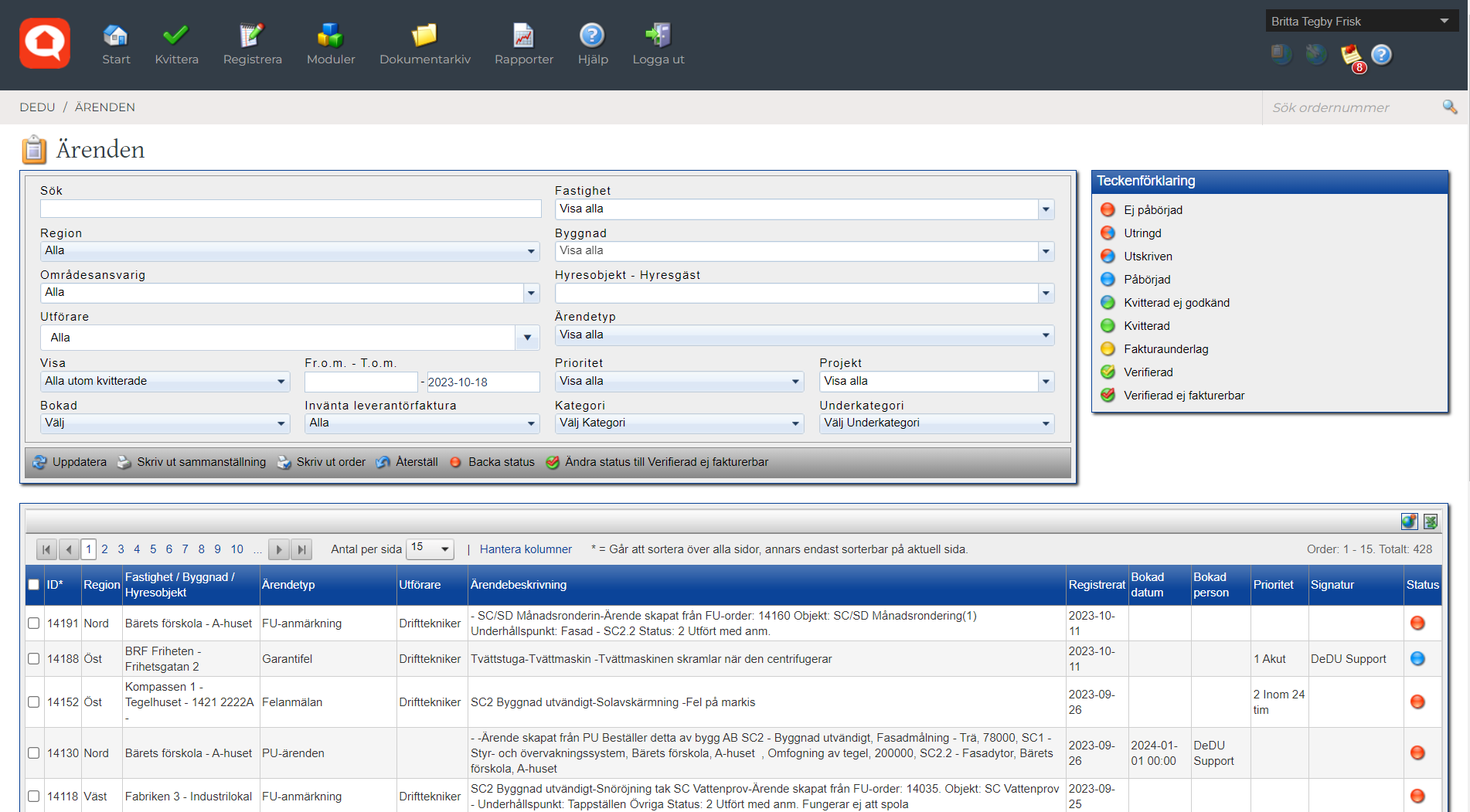
DEDU is very difficult to learn. We bring in extra part-time staff and it would really help if it was more intuitive so that the onboarding period would be shorter.
Interviews with users and stakeholders, as well as user observations, revealed that DEDU was struggling with several key usability issues, such as inefficient workflows, a cluttered user interface and a very a steep learning curve.
A few key insights, paired with ideas for possible solutions, are presented below.
• Users think DEDU is cluttered and that there's too much information that is not relevant to them when they are not using all the features.
• Many users find DEDU hard to learn and that the onboarding takes a lot of time, which is promlematic when you have temporary staff.
• Users find it hard to know where everything is located in DEDU and that there are to many clicks to do certain things.
• To be able to work efficiently, it’s important for users to have a smooth and intuitive flow for incoming cases from tenants, internal case management, and follow ups towards tenants.
• Some features only work on desktop, requiring users to take notes externally during their work day, to then go find a computer to complete the tasks. As many of our users work out in the field and don't even have their own desk, this is a huge inconvenience.
→ Strip down the product to the core functions and remove everything superfluos.
→ Design a user friendly product with intuitive user flows that can be used by anyone.
→ Simplify the menu system and make sure all important features are easily accessible from the landing page.
→ Focus the new product on the Case Management user flows.
→ Integrate external forms for tenants to report cases that are seamlessly pushed into the users' work flows.
→ Integrate a feature for easy follow ups with tenants within the product.
→ Design the product for mobile first in order to facilitate the users' work flow and allow them to manage everything on the go.
Synthesising the insights from user interviews and observations, it became clear that there was one single feature of the product that was indispensable for all users: Case management.
Defining the scope of the first MVP, we decided to center the product around this core feature, focusing on making the Case Management user flows as simple, smooth and intuitive as possible. We defined the main functions that needed to be included in this feature and decluttered the product of all non essential buttons, menus and options.
With the scope of the MVP defined, I created a first draft of wireframes covering all of the requirements for the Case Management feature.
I decided to test the wireframes with users at a very early stage to validate the user flows and be confident that I was going in the right direction before moving forward.
While validating the wireframes I also received some helpful user feedback that gave me valuable insights helping me develop the design further.


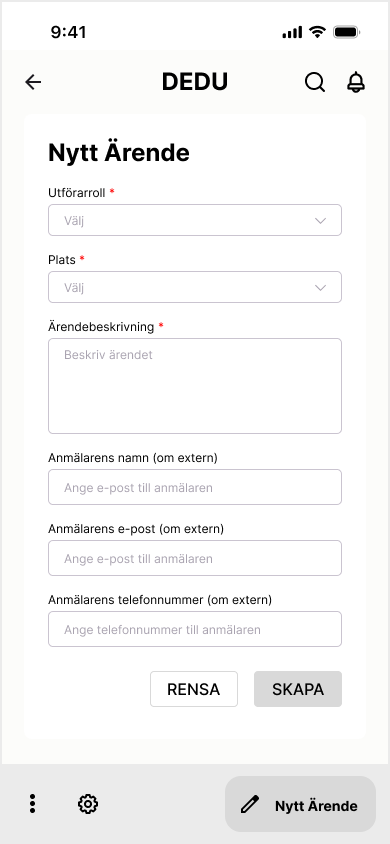
This would really simplifiy my work day. I could manage my cases without getting a headache.
All the functions I use 90% of the time are there, without all the unnecessary mess.
Having secured a first user validation of the product, I proceeded to make a UI Design draft that I implemented in the next iteration of the prototype.
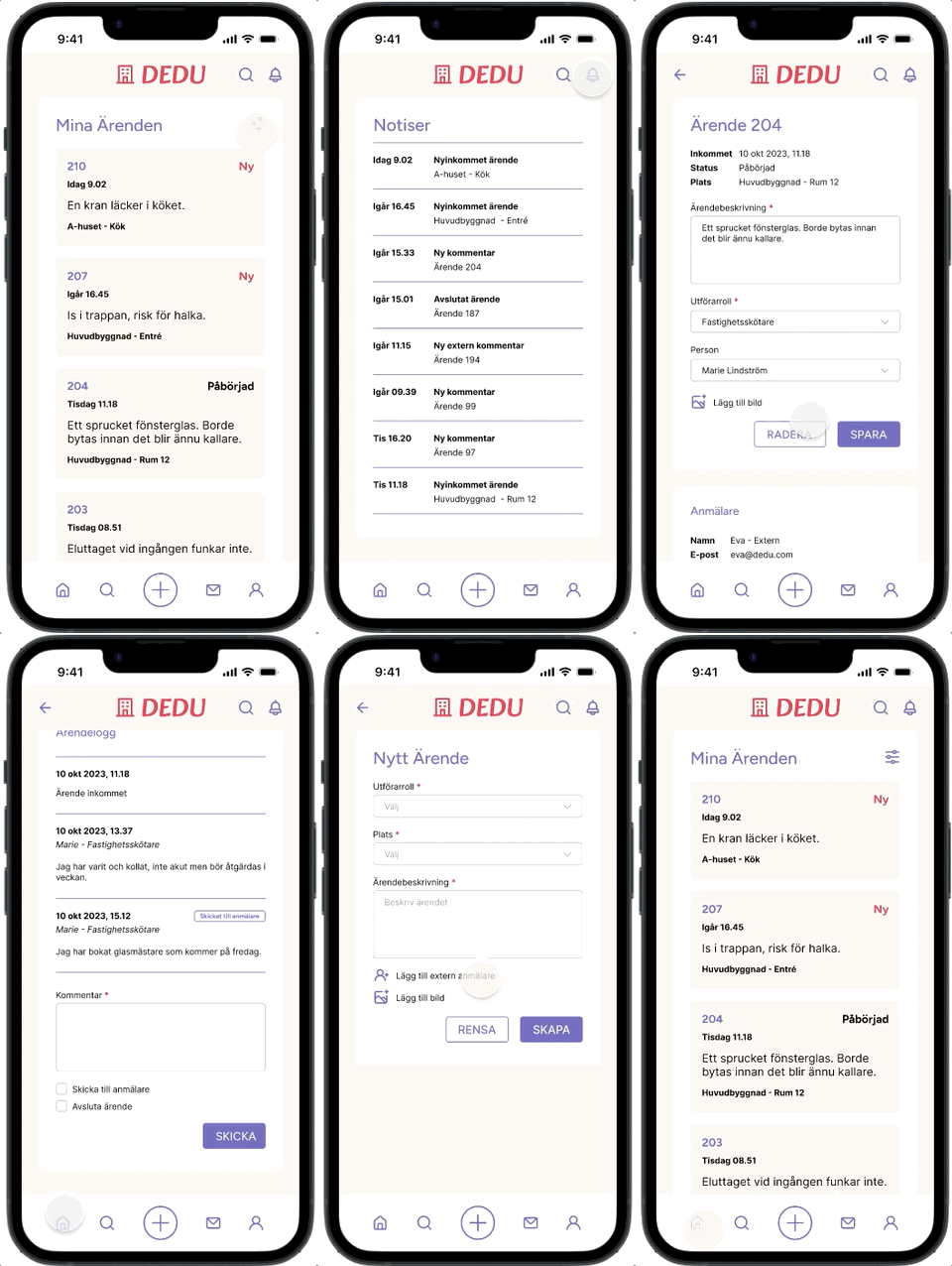

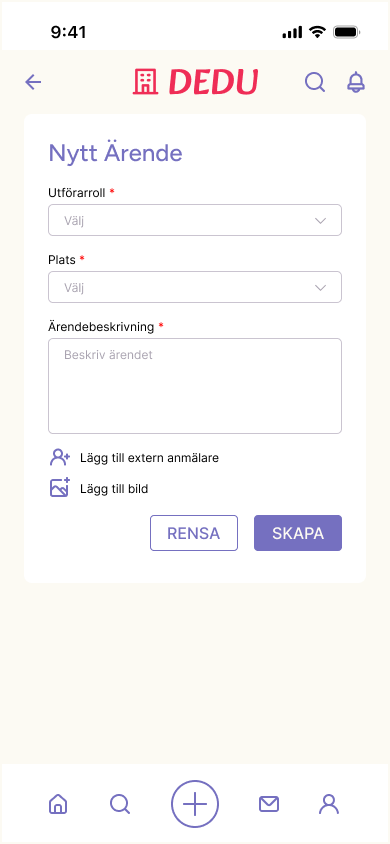

This is so much more user friendly, you just intuitively understand what to do.
The simplicity is satisfying, all the useless clutter is gone and it looks nice!


